|
|
Genre: Adventure Developer & Publisher: Novasoft Interactive Ltd. Released: April 20, 2024 Requirements: OS: Windows 8.1 or higher Processor: Intel Core i5 Memory: 2 GB RAM Graphics: Integrated GFX card Storage: 1500 MB available space
|
|
|
|
Genre: Adventure Developer & Publisher: Novasoft Interactive Ltd. Released: April 20, 2024 Requirements: OS: Windows 8.1 or higher Processor: Intel Core i5 Memory: 2 GB RAM Graphics: Integrated GFX card Storage: 1500 MB available space
|
|
|
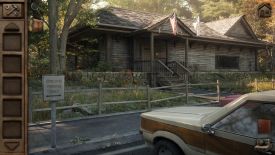
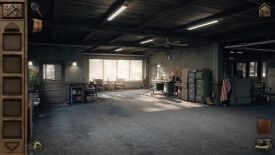
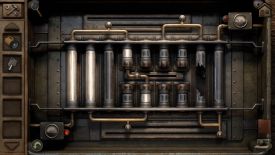
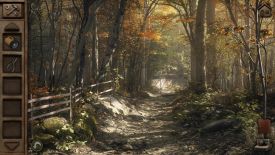
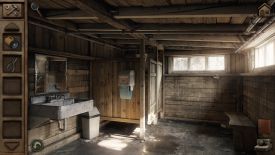
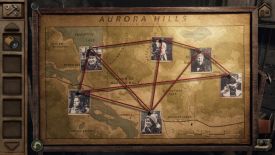
By flotsam Aurora Hills: Chapter 1 Novasoft Interactive Ltd. I was looking through the recent releases in search of my next play, and came across Aurora Hills: Chapter 2. It sounded episodic which caused me to investigate Chapter 1. If you are going to play something, why not start from the beginning I reasonably thought. That it turned out I could play it for free made it a no brainer. You are Ethan Hill, a park ranger in the Appalachian town of Aurora Hills. Once a prosperous and thriving location, a significant number of disappearances over the last few years have seen residents and tourists alike shun the town. The prosperity has gone, and you get to head into the national park to investigate. It is very much a Chapter 1. After about 2 hours of sleuthing, “to be continued” pops up, so don’t expect any answers. Indeed, like most Chapter 1s, things have just been set up for what it to come. The game is completely point and click, and uses a series of almost photo-realistic static images to create the game world. You click your way through them, exploring each with your mouse, and back out of each image in order to retrace your steps. If moving backwards sounds odd, it works quite well, helped I thought by the static nature of the scenes you are exploring. There are no hotspots you can identify, and the cursor doesn’t respond as you search, so if something seems interesting just click on it. You might read an article, or a note, or collect an item, or elicit no result whatsoever. We have gotten used to interactive cursors and the ability to show hotspots, so it was a nice change to have to search on my own, albeit that I clicked quite a lot of non-responsive items and potential locations. I might have felt differently if it was a particularly hard game, but if you play on the Normal setting you have access to a hint icon that will point you in the right direction, offer progressive clues to solving puzzles, and even allow you to skip puzzles altogether. So too, the objective icon can assist, and between them both you shouldn’t be stuck for very long. If you want to increase the challenge you can play on Hard or just ignore the relevant icons. Each scene is visually rich, and while there aren’t a lot of locations to explore (and you only get access to them one at a time) I didn’t feel constrained. There was much to look at and take pictures of in each location and some rather good puzzles as well. The ability to take photos is a nice touch, and largely avoids the need for pen and paper. If you think something might be a clue or a significant piece of information, click the camera icon bottom left to take a photo, which will put the image in your album for revisiting at any time. I took more photos than I needed, but it certainly helped when e.g., a puzzle required collating information from various sources and locations. The puzzling was a strength. A mix of inventory-based conundrums and out and out puzzling, I enjoyed nutting out the solutions, recognising what was a clue and how the various pieces fitted together. I wouldn’t have thought to do some of the inventory actions, and I did need a puzzling prod on occasion, but I was generally well pleased with the challenge. Your inventory ribbon sits left of screen, and you just drag items to try and use them in the game world. Combining items though requires you to click the tool icon at the top of the ribbon, which opens a window into which you can drag the items you want to try and combine. Ambient sound and effects, as well as situational music provide the auditory side of the goings-on, and several cutscenes punctuate events. You can’t save manually, the game saving to a single point on exit. Just hit continue to pick up where you left off. Irrespective of being free, I confess to having a rather good time in Aurora Hills, and will certainly be checking out Chapter 2. I played on: OS: Windows 11, 64 Bit Processor: Intel i7-9700K 3.7GHz RAM: Corsair Dominator Platinum RGB DDR4 32GB Video card: AMD Radeon RX 580 8192MB
|