|
By flotsam
Darkstone Bay
M9 Games
There was a shipwreck 300 years ago. Or was there? A Spanish galleon
went missing, presumed wrecked, but no debris or survivors were ever
found. Does this island hold the secrets as well as the answers?
Your mission, should you choose to accept it, is to make your way
through and across the island, one area at a time, to try and find out.
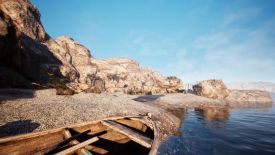
Darkstone Bay is very much a series of escape rooms. Your first location
is a small rocky beach; solve the environmental conundrum/s and the path
to the next location will unlock. The objective is the same, and so on
we go.
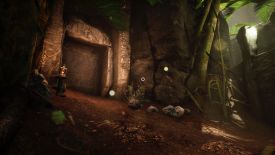
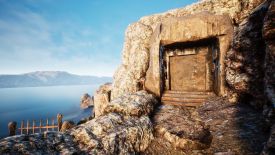
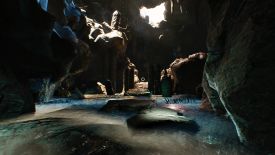
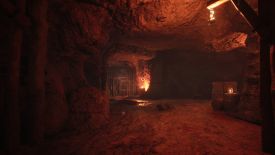
A cave system awaits, as well as mines and forests and more coastal
areas. It isn’t a pretty game to look at, and I thought the visuals were
a bit ‘blocky,’ but it provides a perfectly acceptable canvass for the
main aspect of the game which is the puzzles.
I did enjoy them, and thought as a whole that they sat in that
goldilocks zone of being ‘just right’ in terms of challenge. Everything
you need in each area is there with you; you just need to find it,
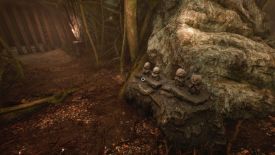
interpret it and then apply it. What does that colour pattern mean, is
that image relevant, what do I do with this? While you will pick up and
use some items, most puzzles involve pressing or turning or pulling
levers or buttons or wheels in the correct order to lower the barrier in
order to move on.
Ambient and situational sound as well as a tranquil soundtrack accompany
your first-person endeavours. You have complete freedom of movement
using the keyboard and mouse. Using the default bindings (you can change
them which I always like) W moves you forward and the mouse will steer
and left click interacts with hotspots. Right click will pick up an
object, which then hangs centre screen until you place it somewhere. Tab
opens your inventory but I think I only ever had one item which was
discarded once I used it. T will bring up your flaming torch which you
will need in a few places.
Your curser is a small white circle fixed at centre screen. It will
become solid white in response to something you can interact with.
The game exclusively autosaves, generally when you transit a location,
and a little message top left will tell you it has occurred. It creates
a new save point each time and I had about 20 when I had finished. You
can choose ‘continue’ from the menu to pick up at the last save point
before you left off, or load any earlier ones. While I prefer to save
when I want to, I thought the autosave function here worked well.
It took me about three hours, didn’t cost much, and gave me a good
puzzling time.
I played on:
OS: Windows 11, 64 Bit
Processor: Intel i7-9700K 3.7GHz
RAM: Corsair Dominator Platinum RGB DDR4 32GB
Video card: AMD Radeon RX 580 8192MB
GameBoomers Review Guidelines
June 2026
design copyright© 2026
GameBoomers
Group
 GB
Reviews Index GB
Reviews Index |