|
By flotsam
Machinika Museum
Littlefield Studio/Dear Villagers
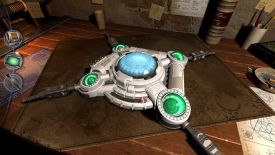
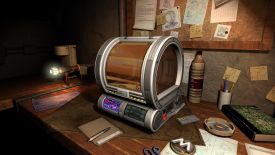
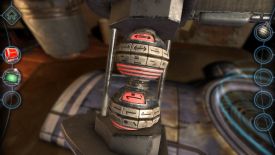
Much in the vein of the Houses of Tesla and Da Vinci, this museum offers
an abundance of puzzling based around extra-terrestrial artifacts and
machinery.
As the Steam page says, “In a distant future, finding machines from
alien civilizations is not unusual, especially in a museum dedicated to
them. Your job is to receive these devices and to understand how to
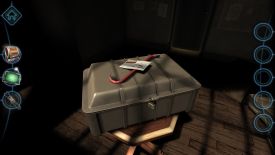
repair them.” To that end, each Chapter starts with a package, which
once you figure out how to open it will reveal one of the said machines.
Fiddle and probe and hope to move on.
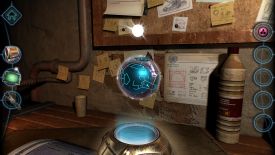
The interface is a bit unusual but not for these sorts of games. You
click and hold to drag your perspective around, enabling you to zero in
on features of possible interest. Double-click to zoom in, right click
to back out. The curser doesn’t react to hotspots so if something looks
interesting, double-click to perhaps check it out. You will come to
recognise the sorts of things that warrant investigating.
Once zoomed in you might have further room to drag the scene to get a
better look at some aspect, but once engaged with a puzzle the screen
will be fixed (i.e., it won’t move) but you might still be doing things
within it.
A single click will gather an item which will appear in a ribbon right
of screen. Click and drag to try and use one in the game world, or click
to have it highlighted centre of screen, from where you can examine it
through 360 degrees which can be particularly important. There are five
inventory slots which is the most different items you will have at any
one time, although you might have multiple of the same item (these will
be stored in the same slot). To my recollection none carry over to the
next chapter.
Left of screen is a ribbon containing three gadgets which you will
deploy throughout your endeavours. The first is a printer used to
duplicate items, the second a mini-camera which enables you to look
inside bits and pieces, and an exotic screwdriver, which does what you
would expect but not in the usual way.
Whilst clicking and dragging are your stocks in trade, you will also
mimic certain actions (e.g., twist, slide, pull etc.). I have mixed
feelings about these types of interactions, but here I thought they
worked well, helping you to be more tactilely engaged with the various
mechanisms.
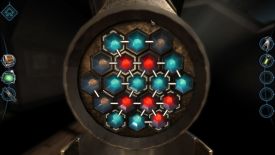
There is a story developing which you can discover more about yourself,
but the game really is all about the puzzles. There are quite a few, and
they offer more than a decent challenge. Quite a few require you to work
out what the puzzle is about in order to then be able to solve it.
Whilst some elements repeat across the course of the game, there are so
many different puzzles that you won’t mind having to occasionally
revisit one aspect or another.
Orienting the puzzle to access all its parts can be a little fiddly,
frustrating even, and more likely to be the case in the last Chapters.
So too, matching some patterns can be a tad precise.
There is no doubting the game looks impressive. Sound effects and an
intermittent soundtrack, along with some excellent little cutscenes when
you trigger something on the machinery you are working on makes it a
much more dynamic environment than it might otherwise be. I remember
fiddling with stuff on a workbench in a location by myself, and it was
never this entertaining.
It's worth mentioning that none of the puzzles have reset buttons, but
near as I could tell, backing out of a puzzle and then exiting to the
menu will result in the puzzle being reset when you go back in. You
won’t need it often, but there were a few puzzles where I wanted to
start again. However, the only times I went from within the puzzle to
the menu (as opposed to backing out of it first), coming back in locked
me out of the particular mechanism and I had to start the Chapter again.
I also encountered one glitch where the inventory item would not engage
with where it was needed. Again, restarting the Chapter fixed the issue.
The game exclusively saves when you exit, and just choose resume from
the menu to pick up where you left off, or alternatively choose to
restart a Chapter. Steam says its two to four hours, but it took me half
as long again and that included accessing a walkthrough more than once.
The game ends by setting you up for the sequel, which if you enjoy this
is already available.
I played on:
OS: Windows 11, 64 Bit
Processor: Intel i7-9700K 3.7GHz
RAM: Corsair Dominator Platinum RGB DDR4 32GB
Video card: AMD Radeon RX 580 8192MB
GameBoomers Review Guidelines
October 2026
design copyright© 2026
GameBoomers
Group
 GB
Reviews Index |